Video editing, simplified
Company
Vouch is a video-first platform designed for teams focused on attracting, engaging, and retaining talent by creating authentic stories and showcasing culture to promote the company.
Role
I was the Product Designer who led the end to end uplift of the product from the research to implementation. I worked with a Senior PM, a Development Lead, and another Software Developer. This project ran for 4 months. Concurrently time was also split between other feature improvements to the rest of the video platform, such as adding bulk actions to the video library, improving the flow to request videos and other detailed pages.
Problem
Vouch’s video creation tool called ‘Playlists’ was being used by only 40% of users on our platform. This was a significant business impact for a video centric company intent on providing the best end to end solution for users looking to collect, create and share video content. This had direct business impacts to account churn, satisfaction and new customers. As a result, more customers were not renewing, sales began to dip and overall customer satisfaction began to decrease. Seeing the writing on the wall, improving the video editor was prioritized from the business amongst a series of other improvements to improve efficiency and optimize the user experience.
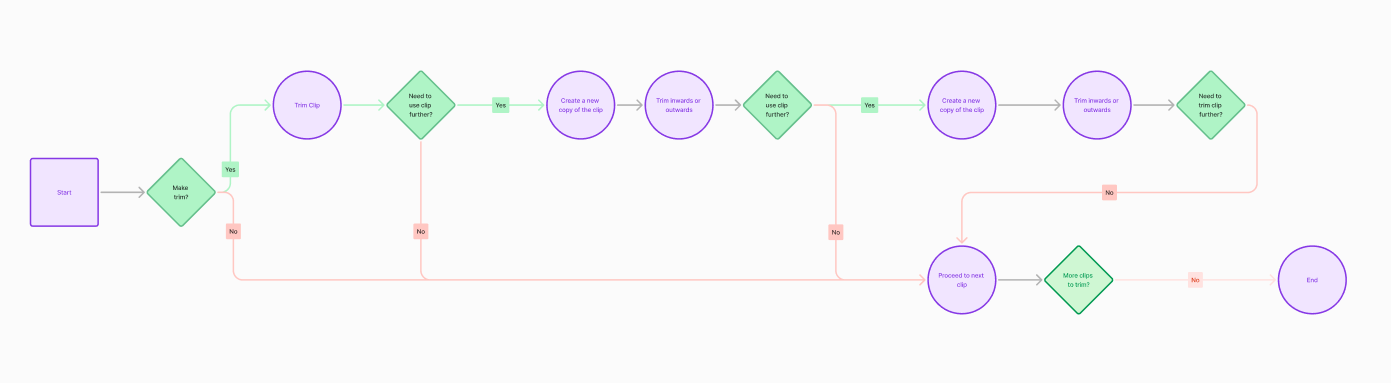
Research from customer conversations, data analytics and internal heuristics revealed a number of compounding number of factors that were driving this feature under-adoption. First it lacked important editing capabilities that as a result were underserving the needs of our customers who needed a more robust option for video editing. In typical scenario for a customer, they would have collected a number of videos and then for the output needed to share a video pulled from the highlights of the videos. Eg, a company ‘round table’ video with executives and employees, they would like to assemble the biggest moments and output a video. A user could trim and delete but not split, which meant it created a headache for those looking to make precise edits between removing fillers words or run on sections of videos. In order to make the equivalent splice, a user would need to create a number of copies for videos to match the number of trims they needed to make on the video. So if you needed to remove 5 “ums”, that clip needed to be added 5 times and then trimmed to and fro those sections. This created a hugely inefficient workflow for customers that could do this more simply elsewhere.
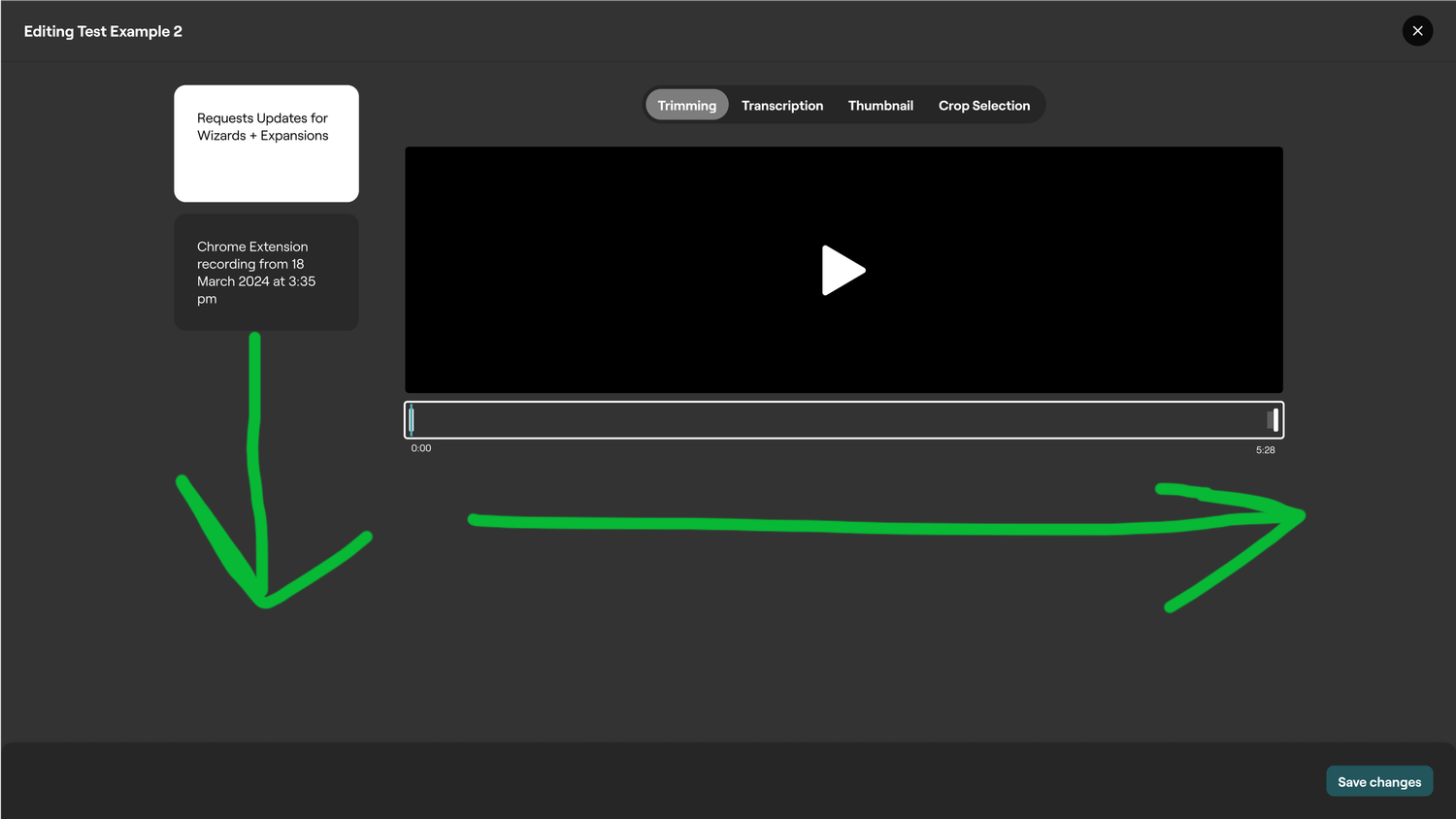
Compounding this was the UX of the editor. Intended as a more lightweight way to consecutively edit a number of videos, it had been designed in a Canva or perhaps more presentation focused layout. Rather typically video editing for most people involves a linear experience centered around a timeline. This created additional headache for users wanting to make concentric cuts to their clip, as with a vertical stacked assembly of clips made it difficult to trim from the previous point.
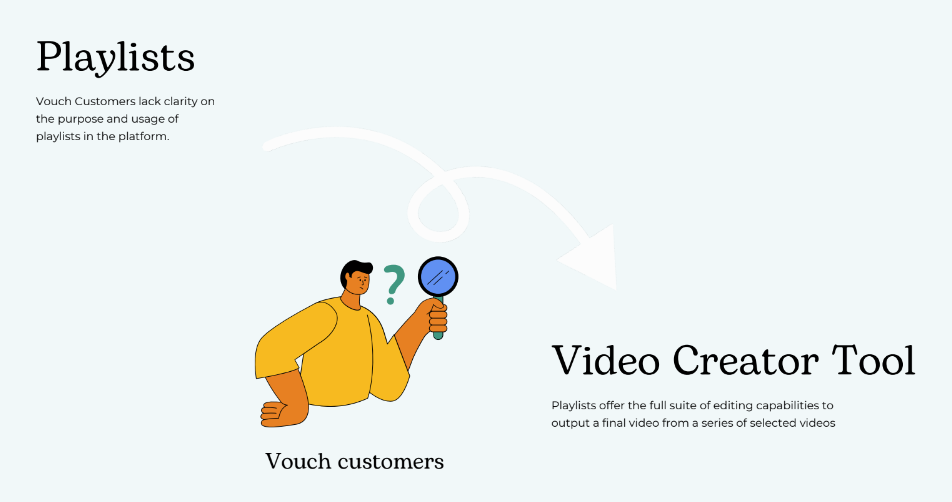
One further complication was an issue of branding and the resulting misunderstanding from customers on when and how to use the video editing tool. It was called ‘Playlists’ originally in effort as concentrate the focus on the lean, lightweight way to assemble videos. Yet the naming convention of a playlist from popular culture has a closer association to gather already assembled content and sharing it out that way, such as a Spotify or YouTube playlists. The closest metaphor in the video world is creating a Video Project, which commonly found in the desktop video editing space in programs such as Premiere and Final Cut Pro. This editing feature it was also only available on specific section called Playlists on the website you had to visit in order to create a video composition and not at the individual video level. So users felt confused about where to video edit and compounded by the other factors over time created a death spiral for video editing on the platform.
Process
To better grasp the extent of Vouch’s video platform I mapped out the various capabilities of our site. As several new features had been released over the year and in between design elements coming and going, a new map was needed to list visually all of our features and services. This involved thorough dog-fooding of the product and in turn also began to bring to light any usability considerations to address. The challenge inititally that could be seen is the myriad of features shipped overtime with either no longer apt use cases or a need to be reinvested in to bring up to speed with user needs and our customer focus.
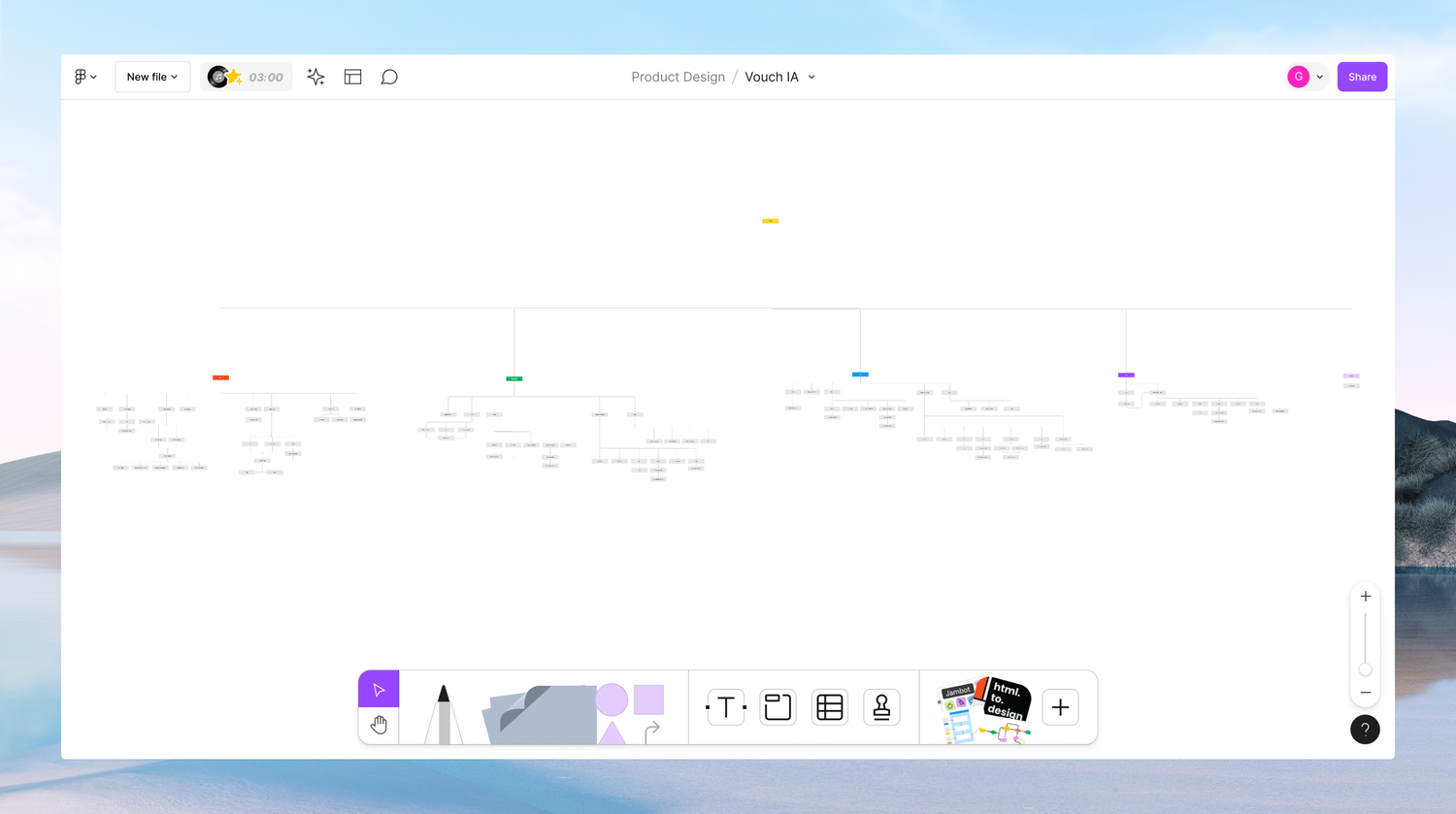
A follow on usability workshop was held across the internal teams to highlight issues that they themselves see everyday and or have heard from customers. A general trend was in general for main core flows to be streamlined (eg, fewer clicks and layers in), navigation to be simpler and broadly for features to be updated to the current new customer focus. Below, I provide an in-depth breakdown of each feature from those workshops, along with prevalent themes that emerged from each feature. In total there were approximately ~ 151 feedback notes for all the 15 features reviewed. An individual feedback note being defined as an individual sticky and or bullet point within each feature column where all notes were listed. Those insights can be seen here - https://drive.google.com/file/d/1LvZxeFywFIZvfDWnyNac5DhQRbG3q17C/view?usp=sharing
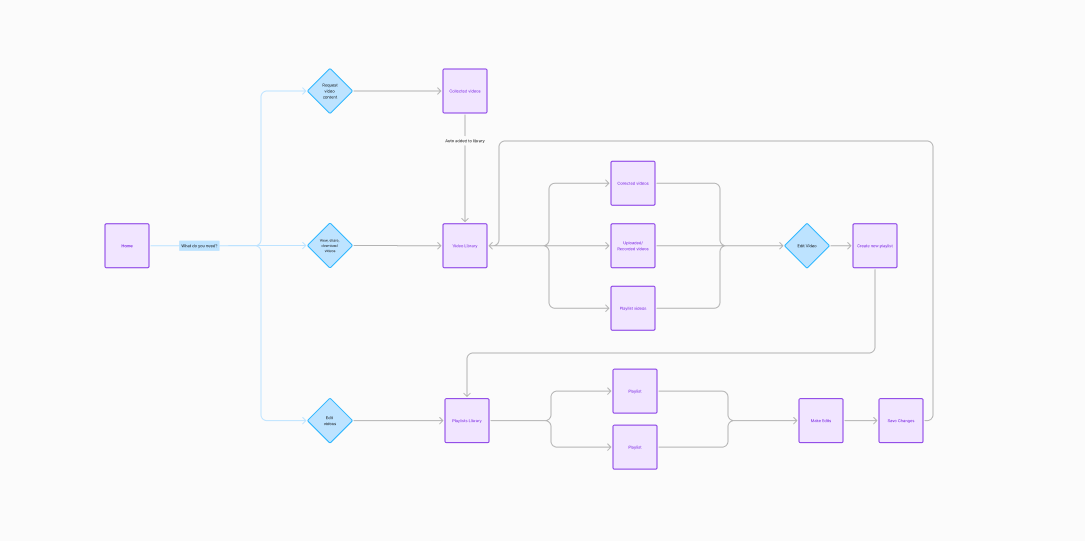
To take it from a 2X to a 10X view, the above walks through at a high level what happens when you start at your account level and then based upon your need make a decision about where you need to go to accomplish that outcome. If you wanted to review all of your videos in your library, which had either been collected through a video request, uploaded or recorded yourself or videos specifically newly created, called playlists, you could from this view. In the video library you could review, download, delete and share. If you wanted to edit however, you needed to either from the beginning experience at the start or once at a list view, or individual detail video view, decide you want to edit, you needed to create a new ‘playlist’ or you could also add to an existing one. This analogy of a ‘Playlist’ is rather closely tied to the video editing world of a Video Project
Outcome
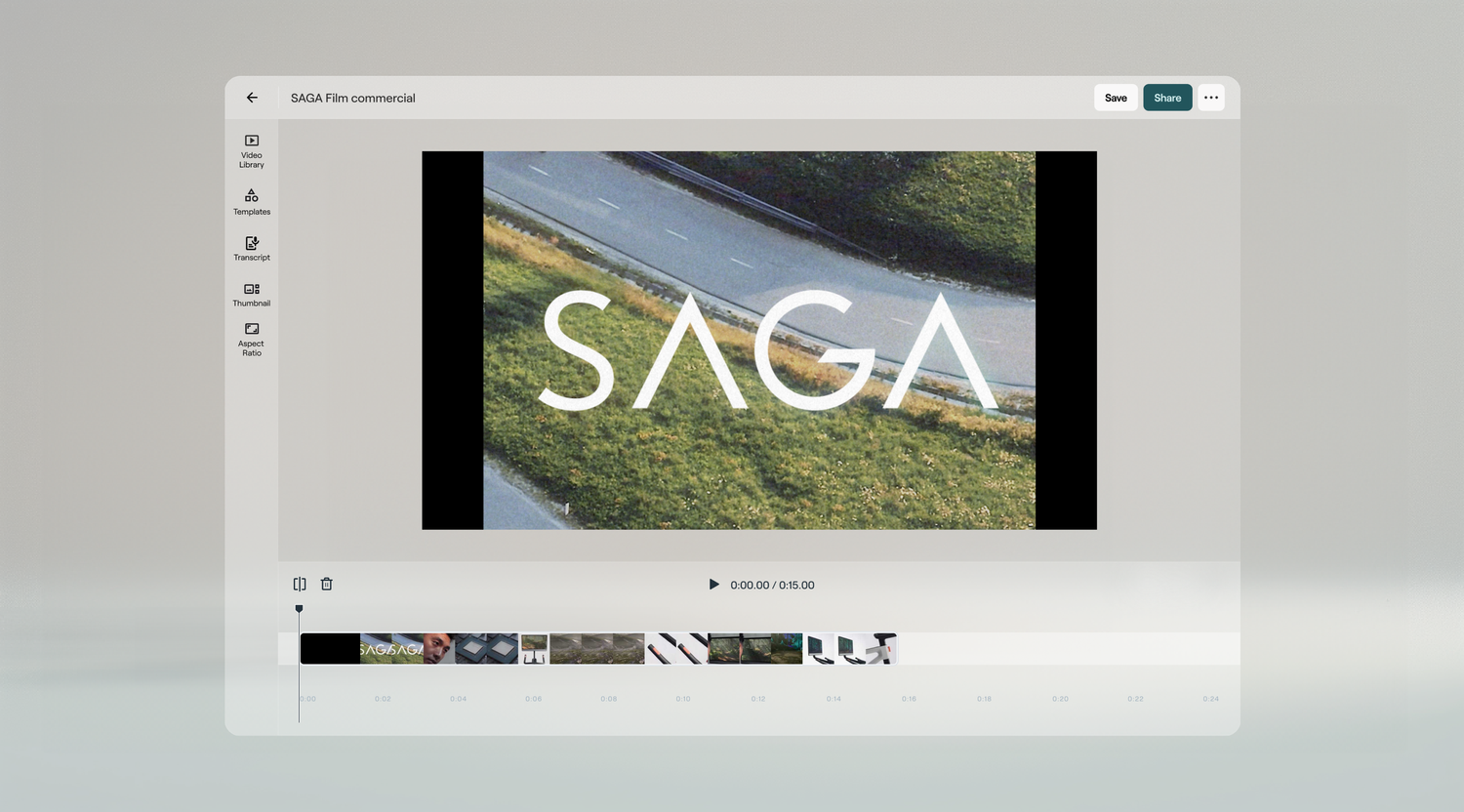
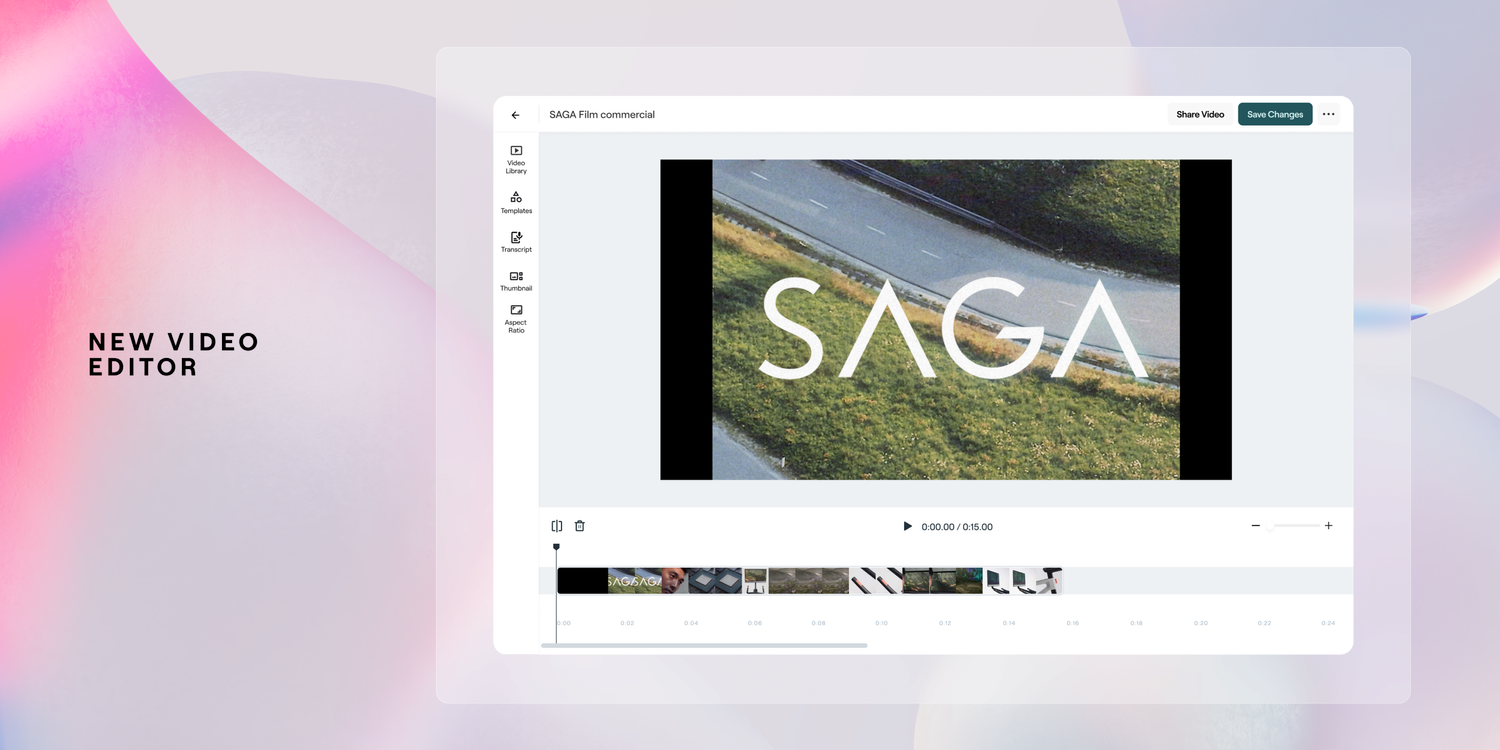
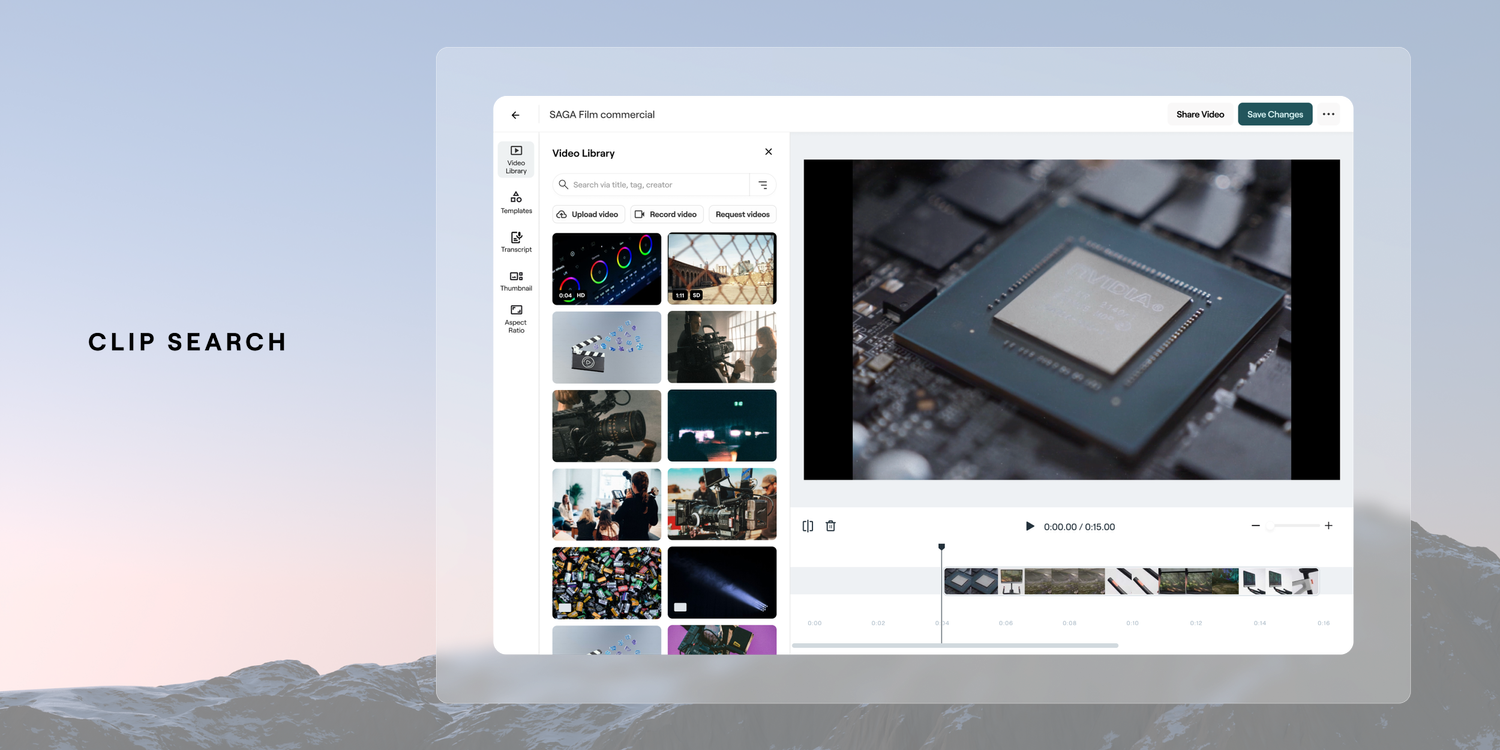
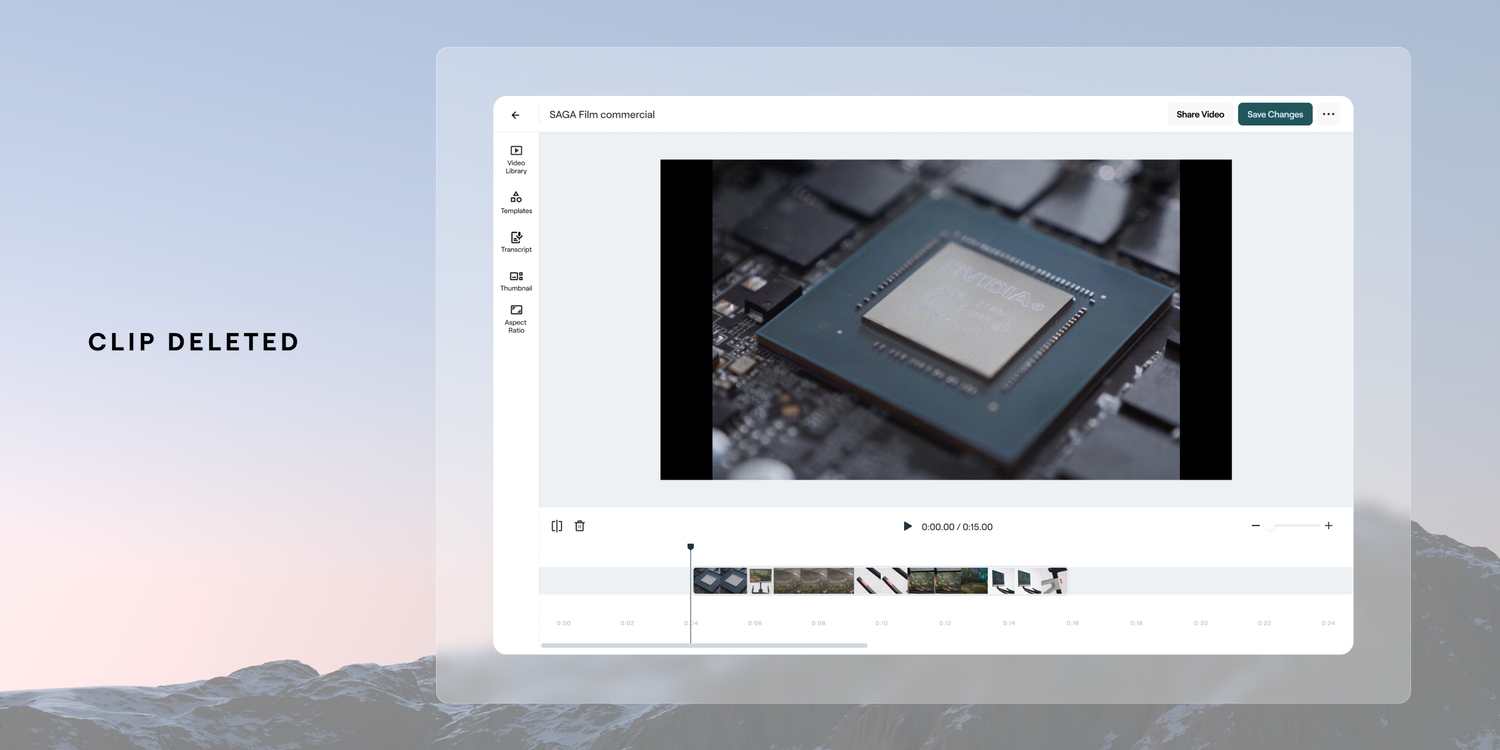
The design solution we landed on was based around ensuring the core capabilities of a complete video editor were in place for our users to manage their video timeline. You no longer had to go to a specific section on the website to create content, this could be done at the individual video level. The solution carried over the same functionalities around trimming, deletion, adding clips with the addition of splicing and adding pre-formed video branding. Most critically to align with a more horizontal editing experience, a timeline based experiecne was added. This improved linear method of editing ensured we stayed aligned to intuitive and common patterns for video creation. Below are some of the basic additions of splitting and deleting to manage the media on the timeline. An example of that baseline flow is below.
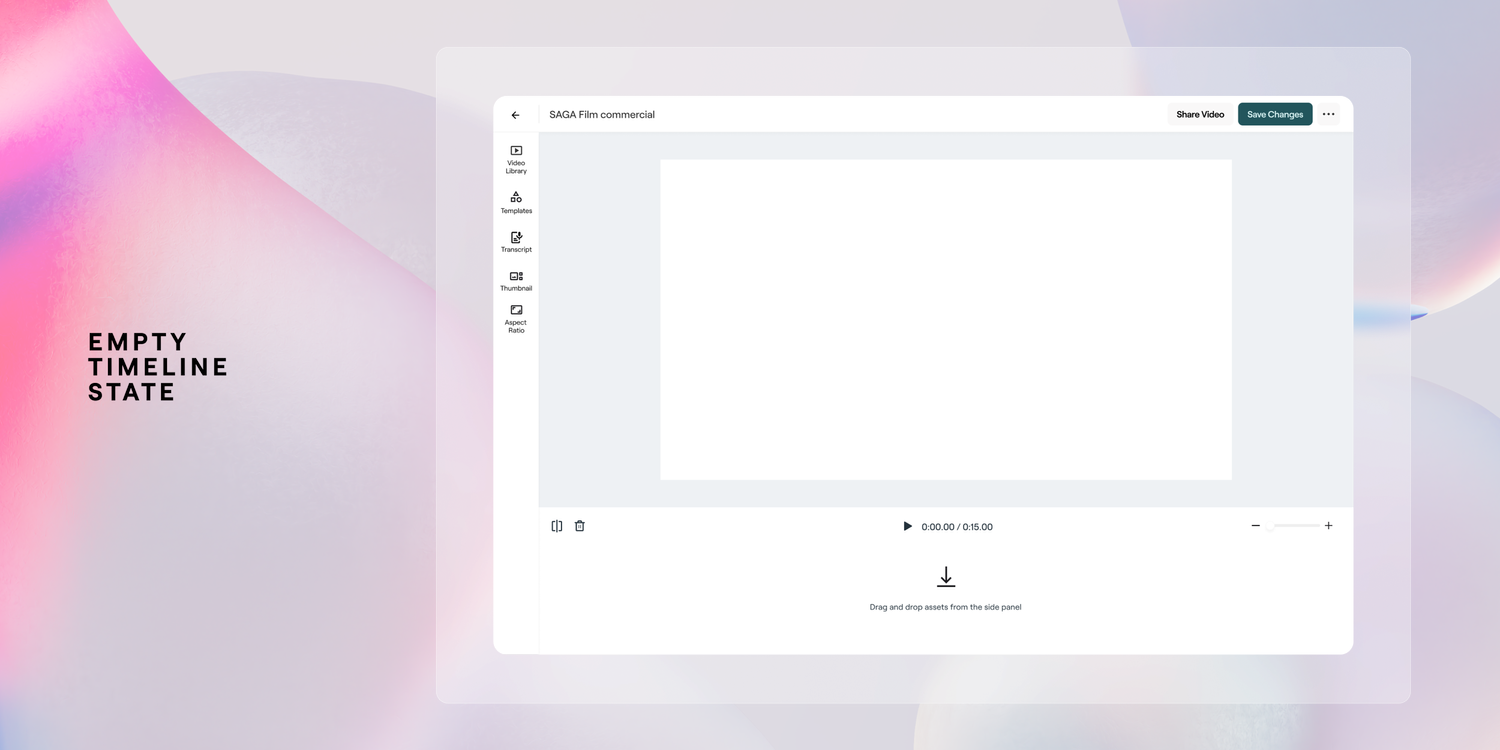
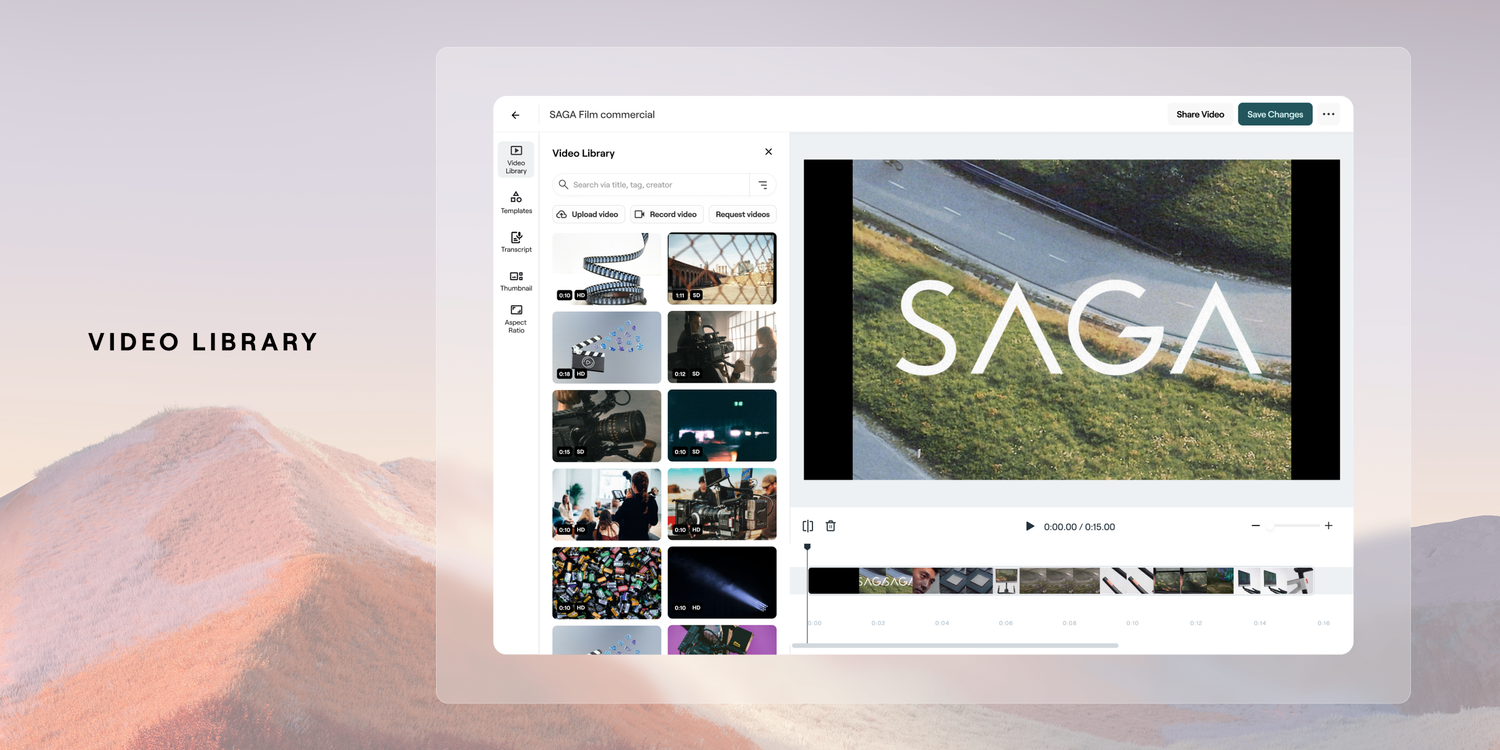
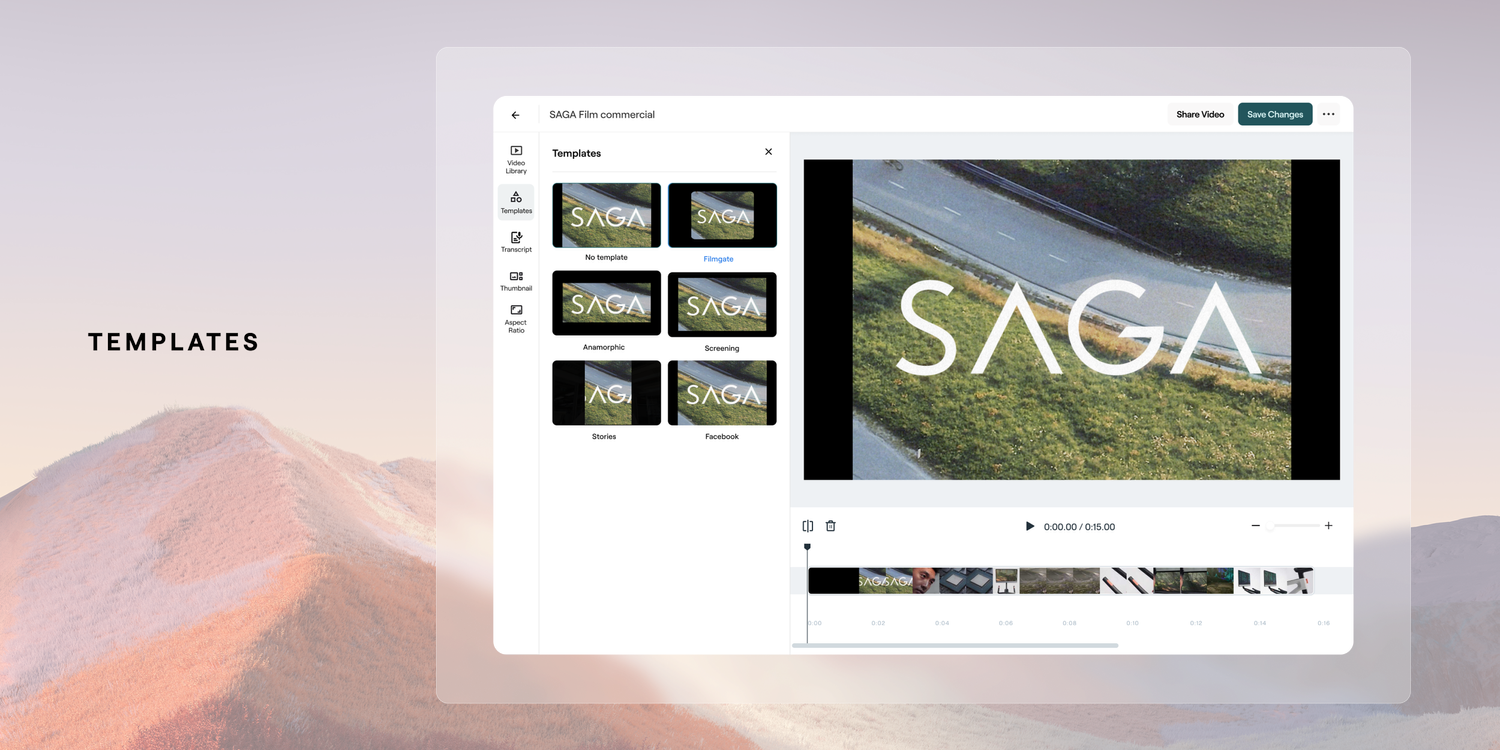
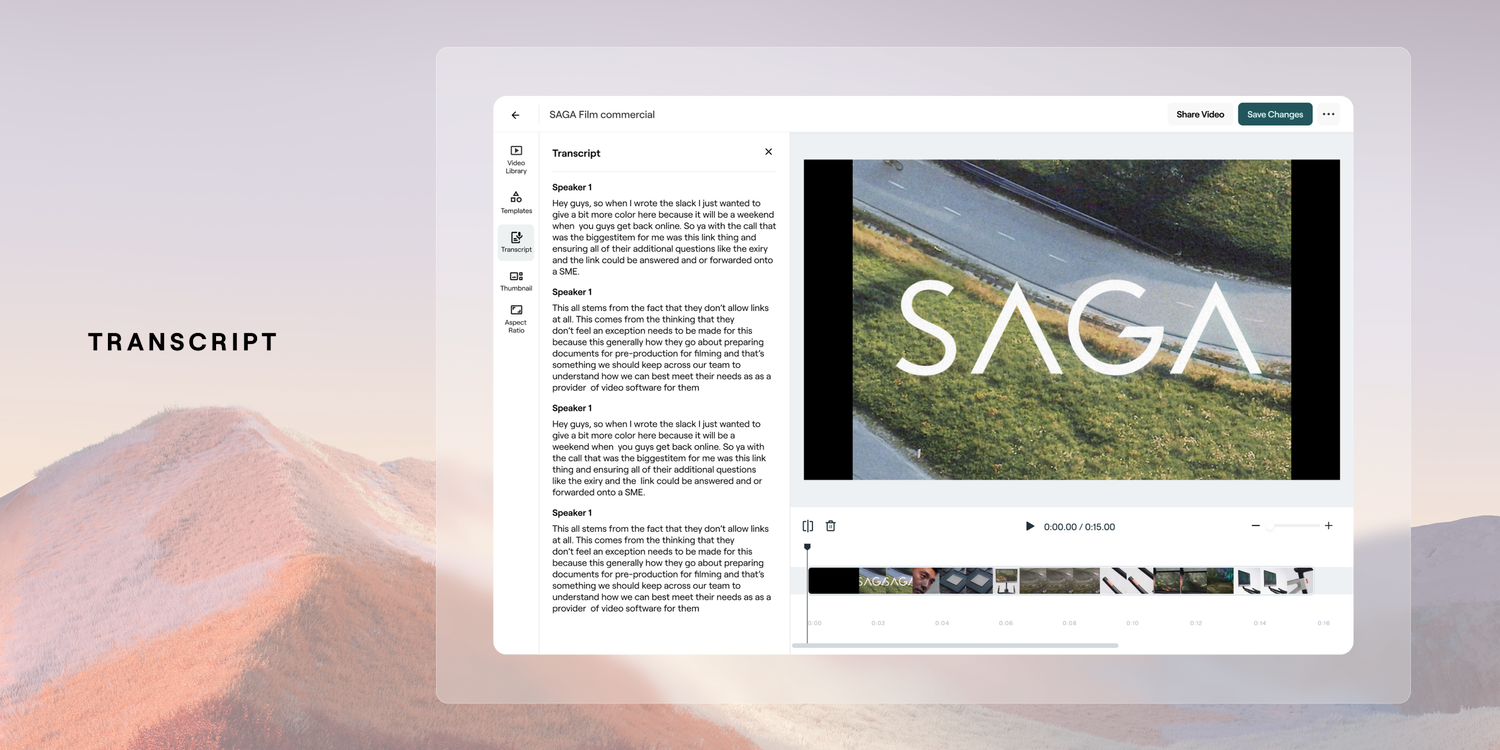
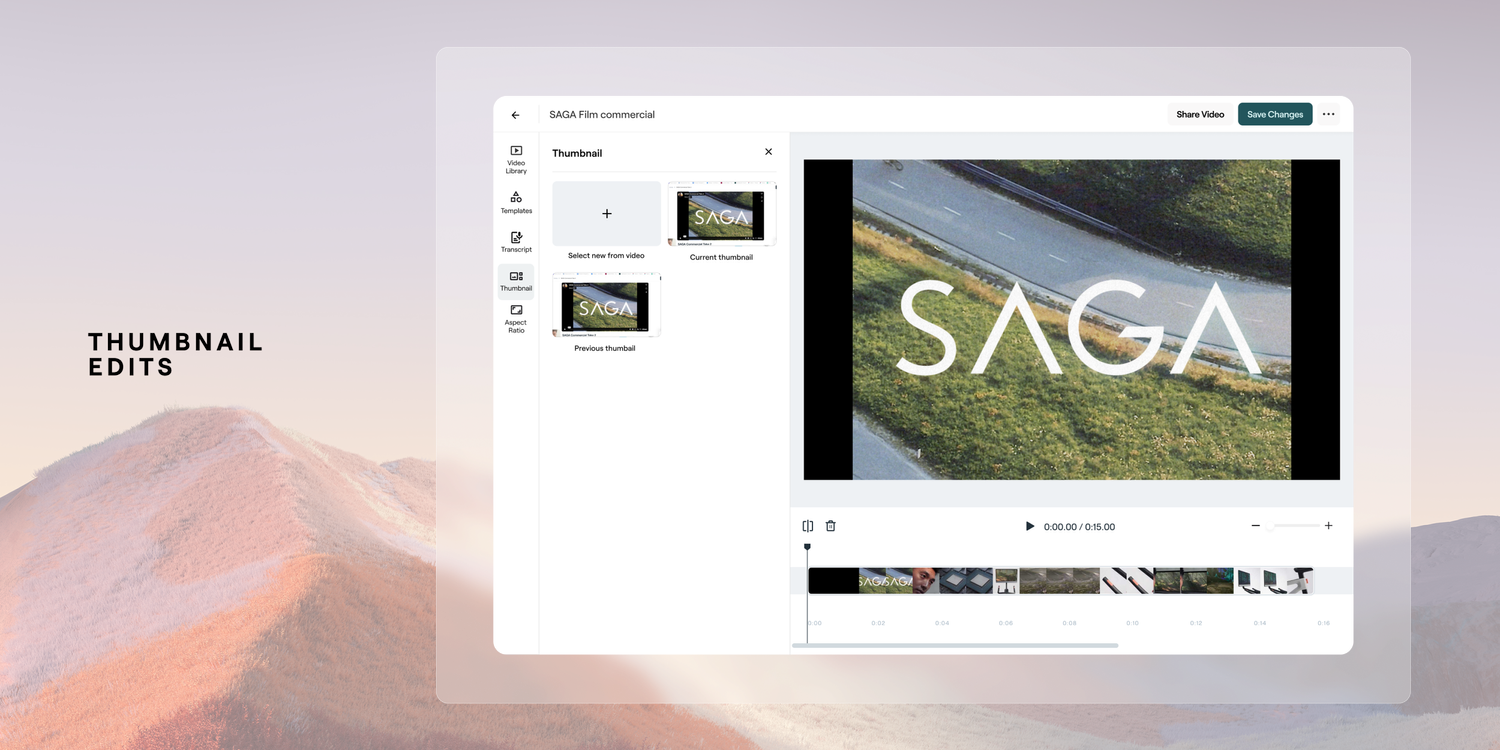
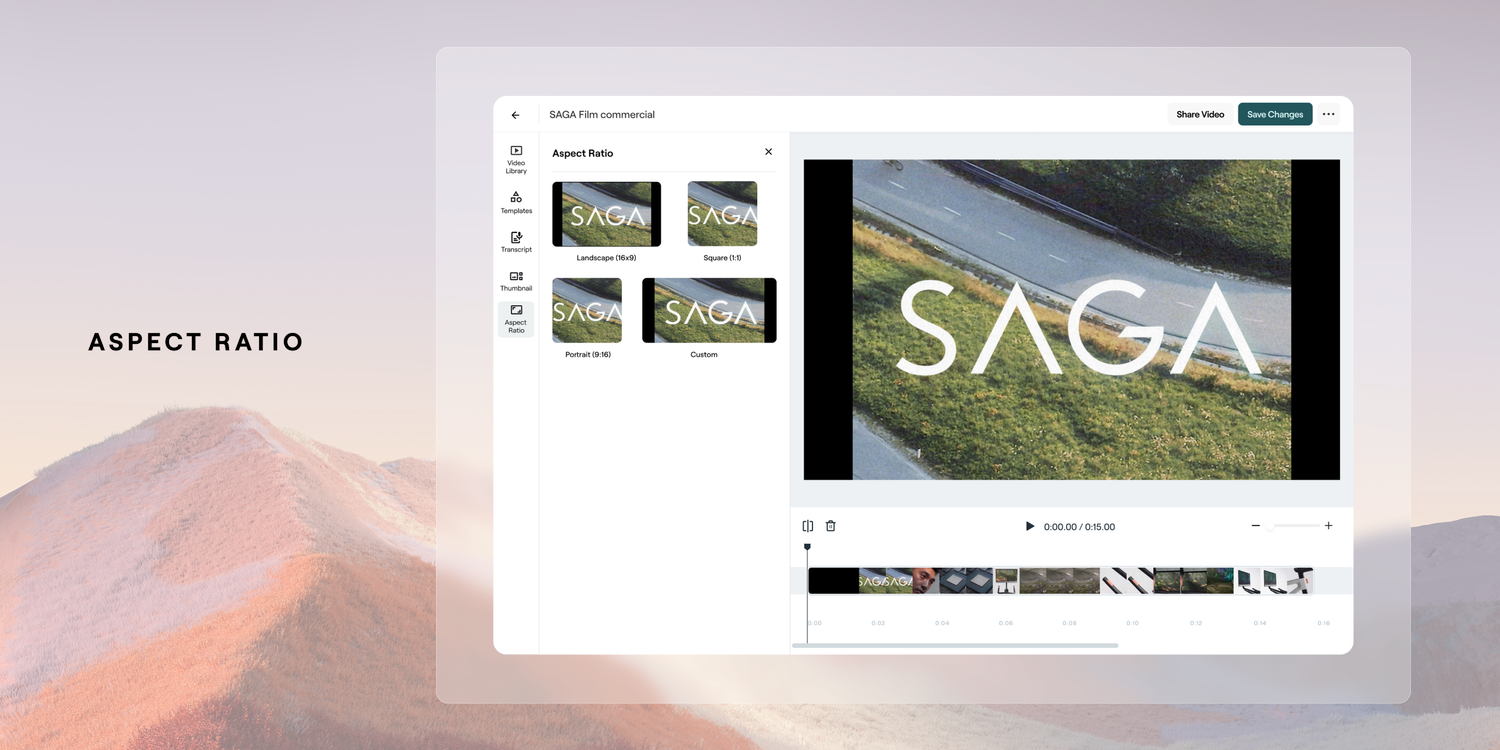
Video Library, Templates, Transcript + More
A thorough focus on being able to access your video library was put in place as a major add for users to easily access video library content, or to upload and request it. Also within here a user is ability to apply a set template which would enable a user to reapply repeatedly throughout their content. The other core features of being importance were the carry-over of the ability to edit by transcription, adjust your aspect ratio and thumbnail selection.
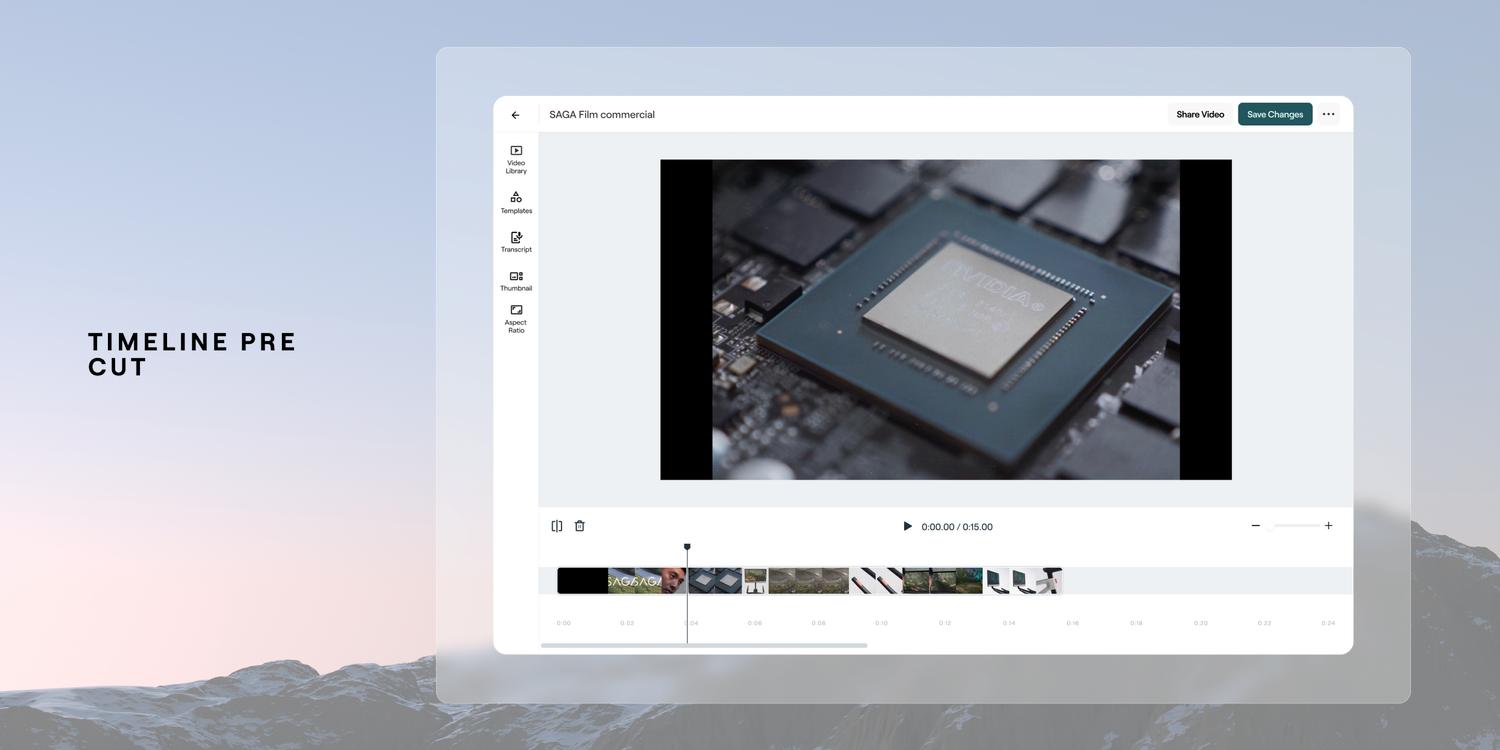
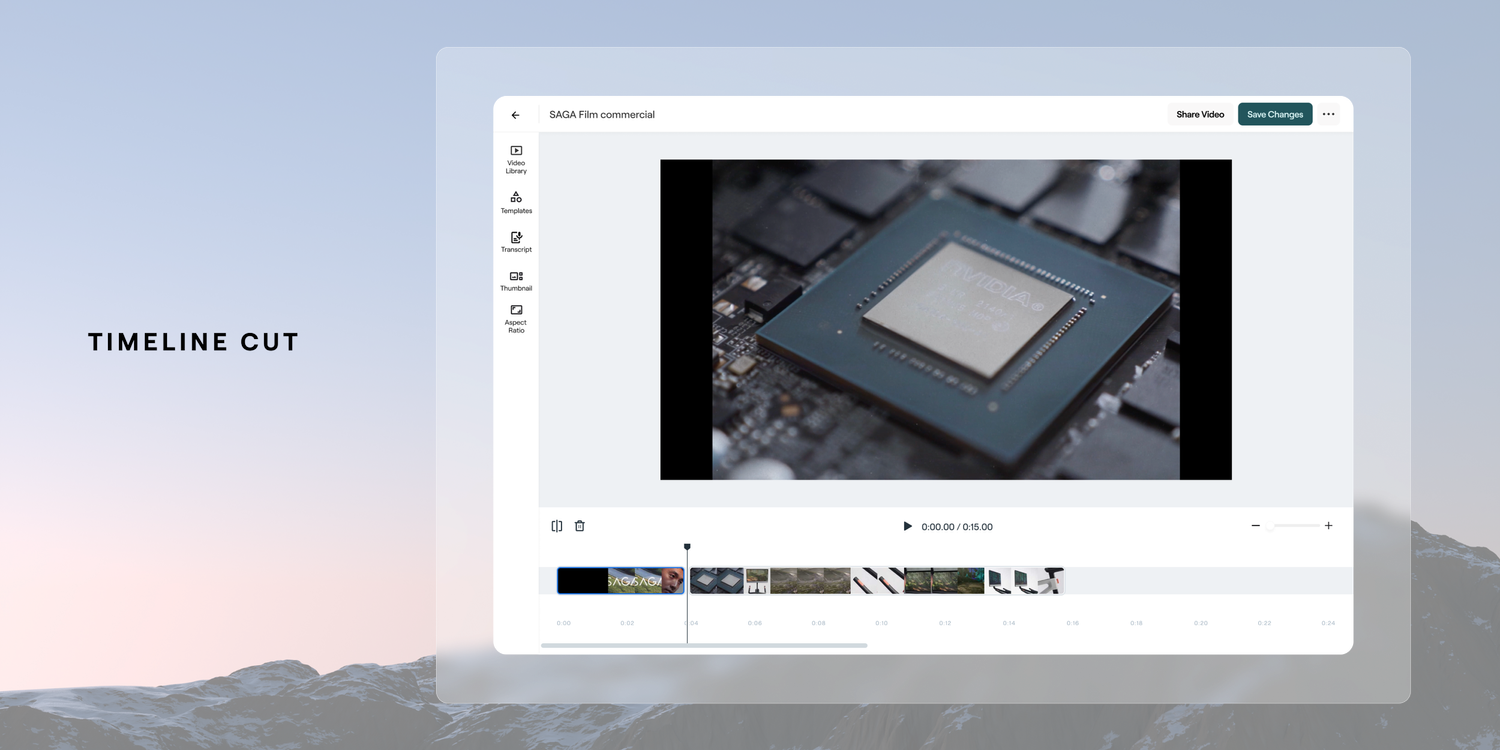
Future Development - Audio Editing
In the near future release Vouch plans on adding an audio track layer to ensure that users have control over how they manage their audio. This is a pretty key feature to release as it’s very common to have control over the the video track and audio track to swap out elements of each. Eg, if you have a talking head shot, to swap for B roll. Below is the proposed design for this near future release. This new video editor it's a crucial step forward in enhancing our platform's video editing capabilities. It presents an exciting step forward in the capability of a platform to have a powerful and efficient video editor to give our users Through user-centric design and iterative improvements, the create compelling video content effortlessly and efficiently. This feature will continue to be fine tuned through continued iterative releases throughout 2024 and beyond as we receive feedback from users, optimize the user experience and grow the tool to meet their needs.